Trackerrr case study
From Idea to App Powered by AI.
Building Trackerrr without writing code.
This project documents how I transformed an idea into a live product by using AI as a real collaborator across research, UX, design, development, deployment, and store preparation. With 17+ years in UX design, this was the moment I tested whether a designer could independently ship a product without a traditional coding background.
Product concept
Overview
A real shipping exercise, not a concept exercise.
This case study is tailored for hiring managers: it shows how I used AI to take full ownership of a product journey, bridge a development gap, and move from ambiguity to something tangible and launch-ready.
AI became a force multiplier for end-to-end product ownership.
- I used AI as a core collaborator, not a one-off support tool.
- I independently moved from idea framing to live website and app build.
- I compressed a process that typically takes months into roughly one to two weeks.
Build and launch a real app independently.
- Use AI across every stage of the process.
- Eliminate dependency on traditional development handoff.
- Convert an idea into a shipping product with speed and clarity.
Trackerrr
A focused app designed to track and organize content efficiently. The goal was not to keep expanding the concept, but to execute and ship a usable, real product.
From UX designer to AI-powered product builder.
This work demonstrates product thinking, structured prompting, AI fluency, decision-making, and the ability to direct a system toward a production outcome.
My role
End-to-end ownership, with AI extending my range.
I owned the project from product thinking through deployment. AI filled the development gap, but the direction, decisions, priorities, evaluation, and refinement remained with me.
Product thinking
Clarifying the idea, narrowing the scope, and defining what should ship.
UX strategy
Structuring user journeys, information flow, and experience priorities.
UI design
Translating rough ideas into high-fidelity screens and interaction clarity.
AI-assisted development
Directing AI tools to generate, revise, and troubleshoot implementation.
Deployment and publishing
Hosting, domain connection, HTTPS, and preparing store-facing content.
AI + design direction
Research
UX flows
UI design
Development
Launch
Process
The AI-driven workflow from idea to shipping product.
The process was not about pushing one prompt and accepting the output. It was a directed loop of framing, evaluating, refining, and moving forward faster than a traditional workflow would normally allow.
Process map
AI acted as a collaborator across the full lifecycle.
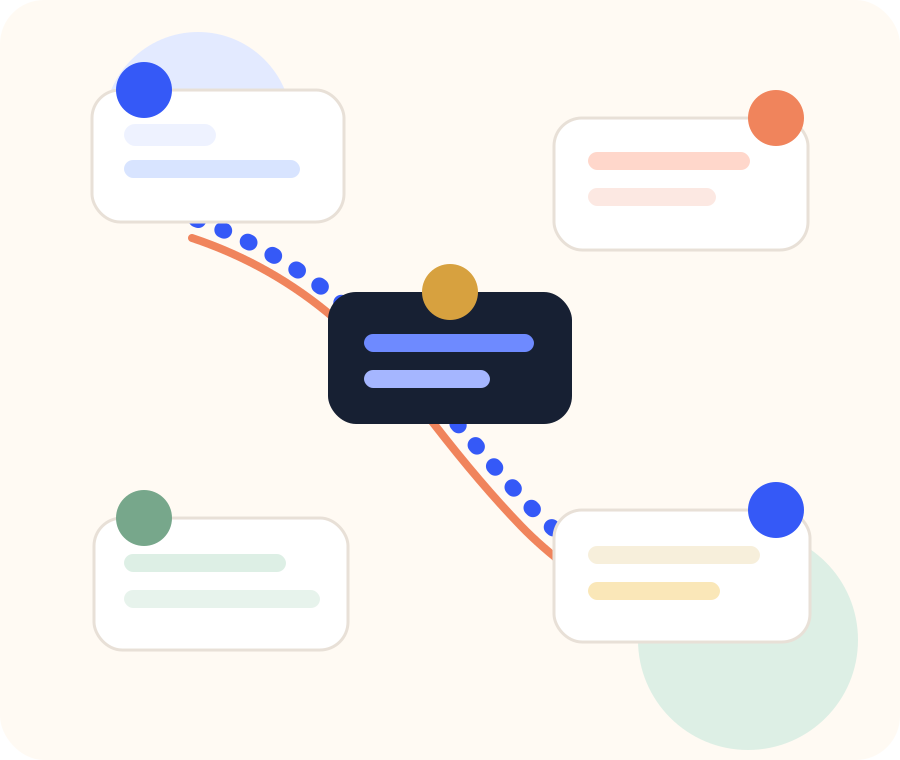
Thinking, structuring, designing, building, testing, deploying, and preparing for publishing became one connected workflow instead of separate specialist phases.
01
Research and thinking
AI became a thinking partner before it became a builder.
Instead of relying only on traditional research workflows, I used AI to explore the problem space, validate assumptions, generate feature directions, and structure the product path quickly.
- Explored possible use cases and narrowed the opportunity.
- Generated and compared feature ideas rapidly.
- Reduced research time while improving decision clarity.
AI as thinking partner
Problem space
Assumptions
Feature ideas
Product direction
02
User flow and UX architecture
From thinking alone to thinking with AI at speed.
AI helped me structure user journeys, map flows quickly, and iterate across multiple approaches before locking the experience direction.
- Mapped journeys faster than a manual exploration cycle.
- Compared alternative information structures.
- Sharpened flow clarity before moving into visual design.
UX architecture
Entry
Track
Review
Save
Organize
Repeat
03
UI design and high-fidelity screens
AI accelerated iteration, while Figma grounded the visual output.
I started with rough ideas, converted them into structured screens, and built the high-fidelity UI in Figma. AI supported layout direction, content structure, copy, and UX refinements.
- Moved from rough concepts to refined interface direction faster.
- Used AI for copy refinement and layout suggestions.
- Entered development with stronger clarity and fewer unknowns.
Design refinement
04
Website development with AI and Codex
AI removed the fear of frontend development completely.
Instead of coding manually, I used Codex to generate HTML, write CSS, and handle responsive behavior. The first layouts felt compressed, so I used AI again to refine spacing, visual hierarchy, and responsiveness.
- Generated structure and styling through natural-language direction.
- Hosted the website on Netlify and connected the domain.
- Enabled HTTPS and treated the website like a real production output.
Website shipped
05
App development with Windsurf and Expo
The biggest leap was learning to direct AI through development.
This is where the project became more than design. I used Windsurf as the AI-assisted development environment and Expo Go for testing. I described requirements in natural language, evaluated the generated output, and refined the implementation iteratively.
- No deep coding knowledge was required to start from zero.
- The real skill was guiding the system clearly and reviewing results critically.
- The app moved from concept to something testable in days, not months.
AI-assisted app build
06
Store preparation
AI supported the finishing work needed to make the product launch-ready.
AI helped generate the privacy policy, app descriptions, and store listing copy, while I handled screenshot preparation and asset formatting manually.
- Reduced friction around documentation and store-facing content.
- Let me keep momentum through the final preparation stage.
- Made the project feel complete, not just functional.
Launch prep
Privacy policy
App description
Store copy
Screenshots
Timeline and impact
AI compressed a multi-month journey into days.
Estimated 4 to 7 months
Roughly 1 to 2 weeks
Fast
Execution speed changed the scale of what felt possible.
Independent
The project reduced dependence on traditional development handoff.
Real
Fully designed app, live website, domain, HTTPS, and store-ready assets.
Tools used
A practical stack for thinking, designing, building, and launching.
AI conversational tools
Used for idea exploration, assumption testing, feature generation, and product structuring.
Figma
Used for translating ideas into flows, screens, and high-fidelity visual direction.
Windsurf and Expo Go
Windsurf supported AI-assisted app generation, while Expo Go enabled testing and iteration.
Codex and Netlify
Codex generated the portfolio and product website build; Netlify handled hosting, domain, and HTTPS.
Challenges
The project was less about coding, and more about learning how to guide AI well.
No technical background
I had to understand the build process, deployment flow, and file update patterns while learning in motion instead of through formal development training.
Tool learning curve
The challenge was not writing code manually. It was learning how to prompt, redirect, and evaluate AI-generated output intelligently.
Iteration confusion
Early on, I needed to learn whether an issue belonged in design, code, or hosting, and then decide how to route the next AI iteration correctly.
Key takeaways
What changed for me as a designer.
AI is a force multiplier
It did not replace my role. It amplified my ability to move from insight to execution.
Designers can now ship
The barrier between design and development is collapsing for people who can direct AI well.
Prompting is the new skill
Clear framing, strong questions, and smart iteration made the difference between noise and progress.
Speed changes everything
Faster execution creates more room for experiments, sharper learning loops, and stronger confidence.
Ownership creates growth
This project shifted my identity from UX designer to AI-powered product builder.
Outcome
A shipped proof point for AI-assisted product building.
- Fully designed and developed app
- Live website with domain and HTTPS
- App prepared for Play Store submission
- Clear foundation for publishing and scaling
With AI, ideas no longer need permission to become products.
Final thought
This was not only about building Trackerrr.
It was about proving that a designer can use AI to bridge execution gaps, ship faster, and turn product ideas into something real.
What hiring teams can expect
A senior UX designer who understands enterprise complexity and can now use AI to accelerate product thinking, prototyping, and delivery with far more independence.